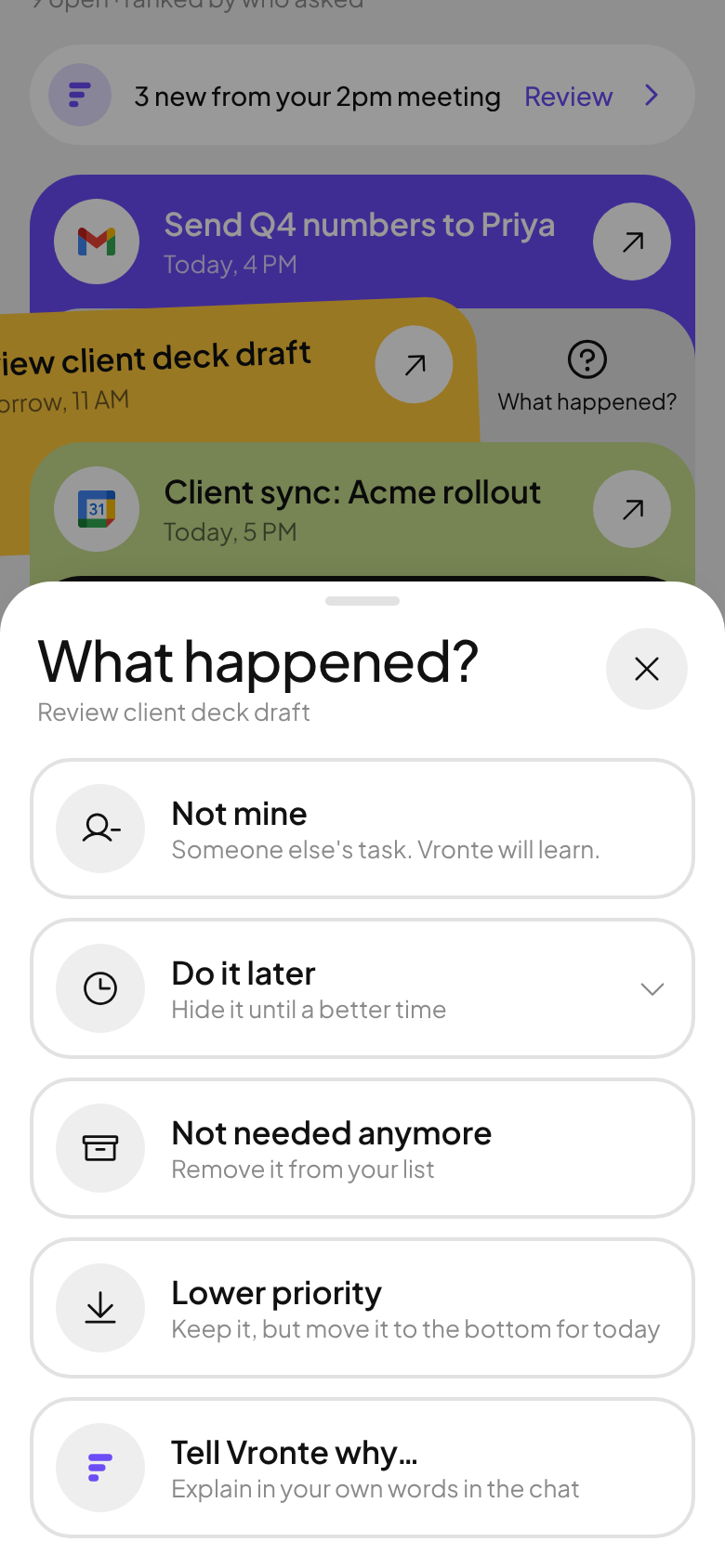
Swipe right: done. Left: “What happened?”
Not mine, do it later, not needed, or lower priority. Every answer makes tomorrow’s list smarter.
Vronte reads your email, calendar and meetings, pulls out the tasks meant for you, and ranks them by who asked.
Check your inbox to confirm your spot. We sent a link to .
Confirming locks in your place in line and gives you your invite link. Not there? Look in Promotions or Spam.
Career goals, the onboarding doc and next quarter
Sign in with Google, then connect Gmail, Google Calendar and Wispr Flow meetings. Read-only, and you can disconnect any time.
New mail and meeting notes are read for things you were actually asked to do. Newsletters and FYIs stay out.
Your manager’s ask beats a peer’s nice-to-have. Deadlines and your own pins sort the rest.
Tell Vronte who matters once. A task from your manager always outranks one from a peer, then due dates, urgency and your pins decide the order inside each tier.
Not mine, do it later, not needed, or lower priority. Every answer makes tomorrow’s list smarter.
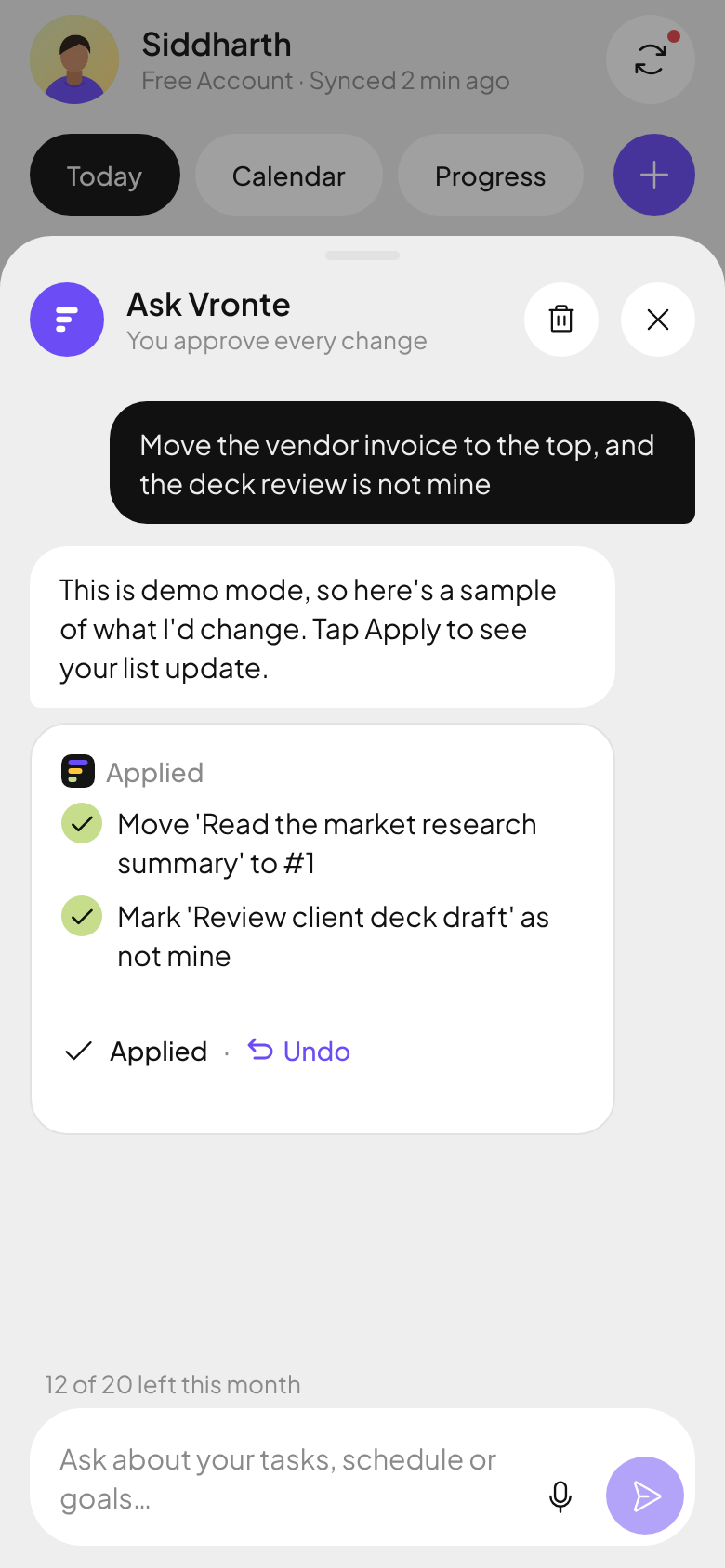
“Move the deck to #1.” The AI shows exactly what it will change. Tap Apply, or Undo.
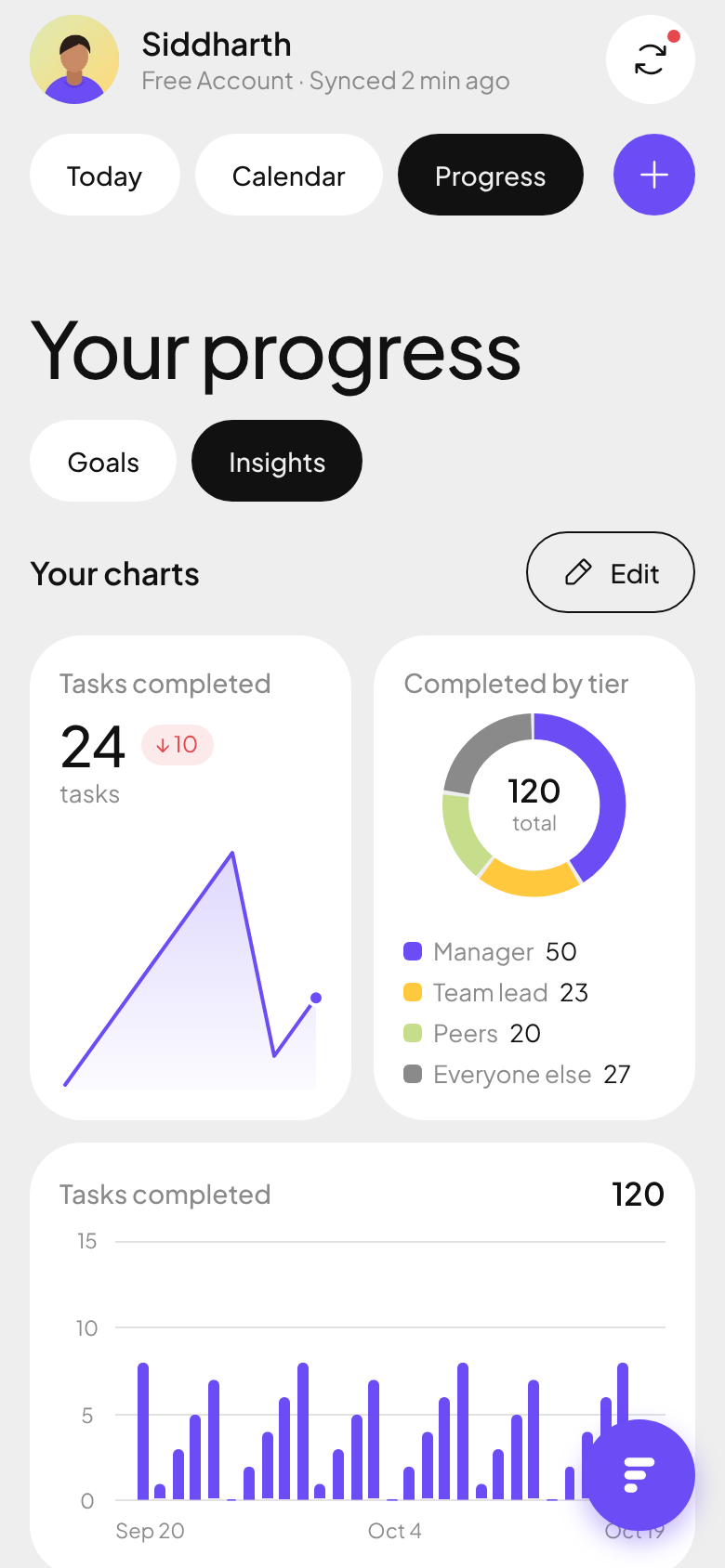
Track goals with progress rings and build your own dashboard: tasks done, by tier, by source, over time.
A morning top 5, an instant ping when your manager asks, and quiet hours that mean it.
Not today? Hide a task until a better time, or keep it and push it to the bottom for now.
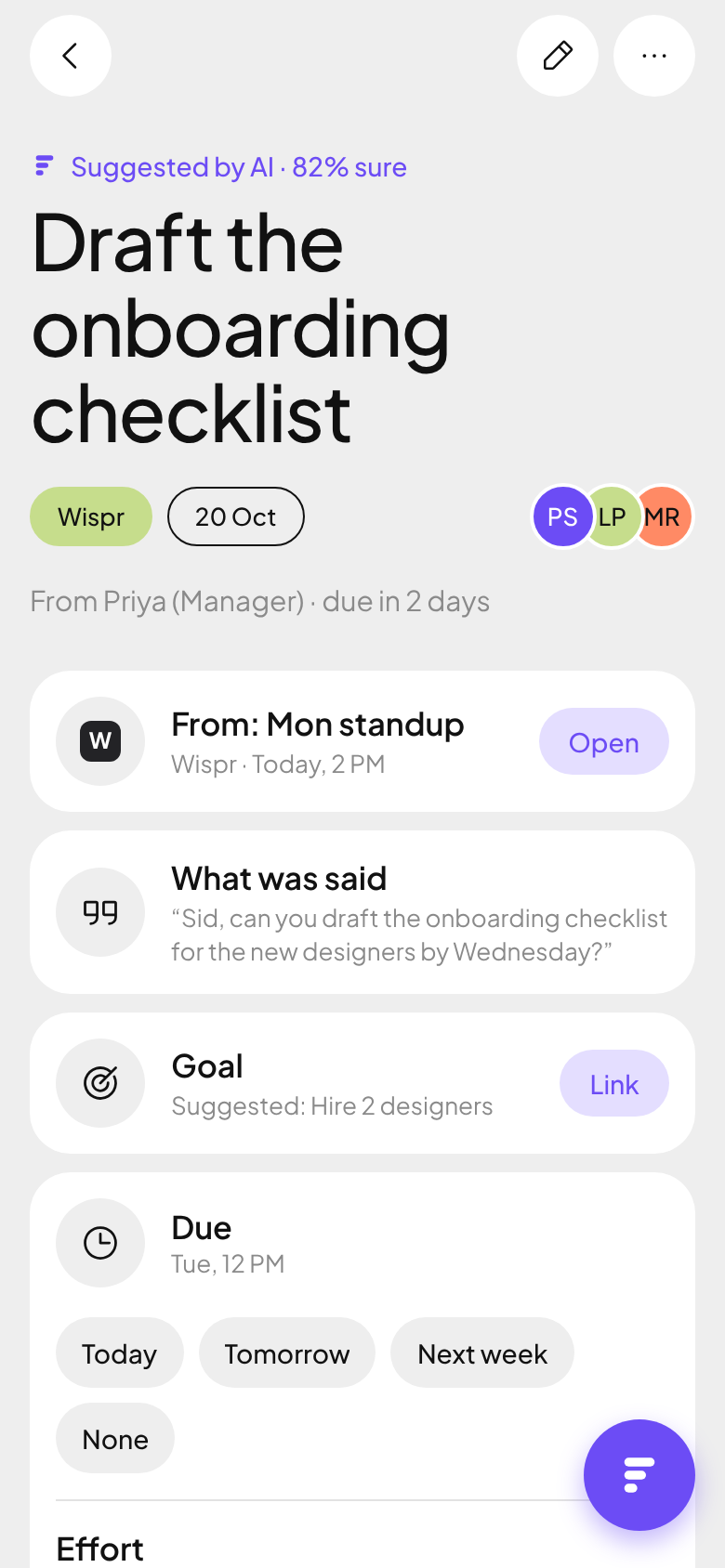
The exact sentence, where it came from and how sure the AI is. Accept it, or say “Not mine”.
Text is read to find your tasks, then deleted. What stays is the task, who asked, and the one sentence that created it, with a link back to the original.
Read the privacy policyJoin, confirm your email, and you get a personal invite link. Each friend who joins moves you up.
Until Google finishes verifying Vronte, Gmail access is limited to 100 test users that we add by hand. So we’re honest about it: each day the top inviters of the last 24 hours get in, plus a few people from the front of the line, until the spots are gone. Everyone else keeps their place for the public launch.
No invites yet today. One friend who joins puts you on the board.
The leaderboard is taking a break. Try again in a minute.
Everything is on the house during the beta. Here’s the plan for after launch; it may change as we learn.
$0
$12/month
or $99/year
Soon
Gmail today, together with Google Calendar and Wispr Flow meetings. Outlook and Microsoft 365 are next. Pick them on the form so we know how many of you need them.
Vronte gets read-only access. Email and meeting text is read to find your tasks and then deleted. What stays is the task, who asked, and the one sentence that created it. Nothing is sold or used for ads, the AI runs on the Claude API (which doesn’t train on your data), and you can delete everything from Settings at any time.
Every day the 10 people who invited the most friends in the last 24 hours get in, plus a few from the front of the line, until all 100 beta spots are taken. You’ll get a “You’re in” email with your download link.
Android comes first. The iPhone build follows through TestFlight. Until then the web app works great in Safari on iPhone, and on any laptop.
Wispr Flow works today: tasks from your meetings land in your list automatically. Fireflies and Otter are on the roadmap. Tick them on the form and they move up the list.
Nothing during the beta. After launch there will be a free plan and Pro at $12/month, with a 14-day trial.